Showing posts with label website. Show all posts

Monday, September 8, 2014

~ Photomanipulation + Retouching + Color Grading Tutorial ~


HOW TO IMPROVE THE LOOK OF YOUR WEDDING PHOTOS

Wedding Photos Processing

This is a 25 minute long video tutorial going through the steps I take to color correct and color grade my photos. This is the perfect tutorial to learn the basics of photo editing in Photoshop and get you started.


Photomanipulation Alien

TRANSFORMING AN OLD MAN INTO AN ALIEN WITH PHOTO MANIPULATION 


What you can do with photomanipulation is only limited by your imagination. No need for any 3D softwares to create what you have in mind, all you need is Photoshop. In this tutorial, I will show you step-by-step how I turned an old man into an alien creature. With the knowledge you'll acquire here, you'll be able to do much more than just aliens, you will be able create your own photomanipulations and transform any image you want that you can use for any purpose you want. Aside from being a fun thing to do, photo manipulations are especially usefull for creating ads or high impact images for your blog.


HOW TO CREATE A CARTOON CHARACTER WITH PHOTOMANIPULATION & RETOUCHING Photomanipulation Cartoon

TRANSFORMING PHOTOS OF REAL PEOPLE INTO CARICATURES


Cartoon Photoshop Tutorial


We will be covering a lot of things in this massive tutorial. You will learn step by step how you can create any cartoon character you imagine using photomanipulation, retouching and color grading techniques. With only Photoshop and stock photos (or your own) you can create a unique caricature that can be a logo, a mascot for a product, a character in an ad, etc.. You can of course use the same techniques explained in this tutorial, in a more subtle way, to spice up your portraits or images.
This tutorial has a massive 89 steps detailing the entire process to achieve the image above and don’t worry, all my tutorials can be done by anyone who has basic knowledge of Photoshop. Unlike other tutorials you’ll sometimes see out there, you don’t need to be a skilled digital painter to achieve the same results I get here – as I’m not a good digital painter myself ;)


HOW TO MAKE FACIAL FEATURES POP OUT WITH RETOUCHING

Retouching
USING PHOTOSHOP TOOLS TO ADD DEPTH & CHARACTER TO A FACE Advanced Retouching Tutorial
In this 130-minute video tutorial I will show you different retouching techniques and tricks that will help you transform regular people into eye-popping characters. In this Photoshop tutorial, we will enhance the facial features of the man and the woman giving them a funny cartoonish look perfect for our artwork. We will then work on colors and add a background that will mesh well with our characters. In this case, I choose a background that would give the impression that those two were in an insane asylum!

Color Grading Publicity Poster Original


GIVE YOUR PHOTO A “PAINTED LOOK” WITH SURREAL CONTRASTS & COLORS


red_arrow_down_small2

Friday, August 1, 2014

~ Photomanipulation + Retouching + Color Grading Tutorial ~


HOW TO IMPROVE THE LOOK OF YOUR WEDDING PHOTOS

Wedding Photos Processing

This is a 25 minute long video tutorial going through the steps I take to color correct and color grade my photos. This is the perfect tutorial to learn the basics of photo editing in Photoshop and get you started.


Photomanipulation Alien

TRANSFORMING AN OLD MAN INTO AN ALIEN WITH PHOTO MANIPULATION 


What you can do with photomanipulation is only limited by your imagination. No need for any 3D softwares to create what you have in mind, all you need is Photoshop. In this tutorial, I will show you step-by-step how I turned an old man into an alien creature. With the knowledge you'll acquire here, you'll be able to do much more than just aliens, you will be able create your own photomanipulations and transform any image you want that you can use for any purpose you want. Aside from being a fun thing to do, photo manipulations are especially usefull for creating ads or high impact images for your blog.


HOW TO CREATE A CARTOON CHARACTER WITH PHOTOMANIPULATION & RETOUCHING Photomanipulation Cartoon

TRANSFORMING PHOTOS OF REAL PEOPLE INTO CARICATURES


Cartoon Photoshop Tutorial


We will be covering a lot of things in this massive tutorial. You will learn step by step how you can create any cartoon character you imagine using photomanipulation, retouching and color grading techniques. With only Photoshop and stock photos (or your own) you can create a unique caricature that can be a logo, a mascot for a product, a character in an ad, etc.. You can of course use the same techniques explained in this tutorial, in a more subtle way, to spice up your portraits or images.
This tutorial has a massive 89 steps detailing the entire process to achieve the image above and don’t worry, all my tutorials can be done by anyone who has basic knowledge of Photoshop. Unlike other tutorials you’ll sometimes see out there, you don’t need to be a skilled digital painter to achieve the same results I get here – as I’m not a good digital painter myself ;)


HOW TO MAKE FACIAL FEATURES POP OUT WITH RETOUCHING

Retouching
USING PHOTOSHOP TOOLS TO ADD DEPTH & CHARACTER TO A FACE Advanced Retouching Tutorial
In this 130-minute video tutorial I will show you different retouching techniques and tricks that will help you transform regular people into eye-popping characters. In this Photoshop tutorial, we will enhance the facial features of the man and the woman giving them a funny cartoonish look perfect for our artwork. We will then work on colors and add a background that will mesh well with our characters. In this case, I choose a background that would give the impression that those two were in an insane asylum!

Color Grading Publicity Poster Original


GIVE YOUR PHOTO A “PAINTED LOOK” WITH SURREAL CONTRASTS & COLORS


red_arrow_down_small2

Wednesday, July 16, 2014

Photomanipulation + Retouching + Color Grading Tutorial


HOW TO CREATE A CARTOON CHARACTER WITH PHOTOMANIPULATION & RETOUCHING Photomanipulation Cartoon
TRANSFORMING PHOTOS OF REAL PEOPLE INTO CARICATURES


Cartoon Photoshop Tutorial


We will be covering a lot of things in this massive tutorial. You will learn step by step how you can create any cartoon character you imagine using photomanipulation, retouching and color grading techniques. With only Photoshop and stock photos (or your own) you can create a unique caricature that can be a logo, a mascot for a product, a character in an ad, etc.. You can of course use the same techniques explained in this tutorial, in a more subtle way, to spice up your portraits or images.
This tutorial has a massive 89 steps detailing the entire process to achieve the image above and don’t worry, all my tutorials can be done by anyone who has basic knowledge of Photoshop. Unlike other tutorials you’ll sometimes see out there, you don’t need to be a skilled digital painter to achieve the same results I get here – as I’m not a good digital painter myself ;)


HOW TO MAKE FACIAL FEATURES POP OUT WITH RETOUCHING

Retouching
USING PHOTOSHOP TOOLS TO ADD DEPTH & CHARACTER TO A FACE Advanced Retouching Tutorial
In this 130-minute video tutorial I will show you different retouching techniques and tricks that will help you transform regular people into eye-popping characters. In this Photoshop tutorial, we will enhance the facial features of the man and the woman giving them a funny cartoonish look perfect for our artwork. We will then work on colors and add a background that will mesh well with our characters. In this case, I choose a background that would give the impression that those two were in an insane asylum!

Color Grading Publicity Poster Original


GIVE YOUR PHOTO A “PAINTED LOOK” WITH SURREAL CONTRASTS & COLORS

red_arrow_down_small2

Friday, June 27, 2014

~Building a Business While Having a Life ~


Company Overview Building a Business While Having a Life


Come connect with me.

Learn marketing techniques, business opportunities and read about the newest technology


       ENTER HERE


ENTER


free web site traffic and promotion

Wednesday, June 25, 2014

4 simple truths about content marketing re-imagined ~ by Helen Nesterenko


Content marketing is still a new field, and it remains dynamic and evolving. Every day, we have access to new statistics, which are based on the increasingly fine and detailed data that can be collected. These all reveal the importance of content marketing to businesses, and the very management of day to day operations.
However, despite all the buzz about this topic, it’s still important to keep basic principles and good sense in mind when crafting your content marketing strategy.
This article will highlight some basics to keep you current with the state of the industry.


Content is king

We have all heard this, and interpreted it in our own ways. However, as always when immersed in the daily pressure of running a business or maintaining a website, it is easy to become distracted by all the new developments and forget what is essential – the content itself. Have you lavished days of work on landing page graphics and shortchanged the text? Have you obsessively counted characters for the title of your post, and then rushed to try to produce a graceful composition fulfilling your title’s promise? Have you invested seemingly endless hours poring over website analytics, while forgetting to check in on what your audience is actually saying about your webpage?
Your readers always have time for what helps them get through their day, makes their life better, improves their business, or saves them effort or money. No landing animations, graphics of pretty models, website optimizing keywords, or urgent and appealing calls to action will compensate for rushed and poorly-thought-out content.


Stay positive. Work your @ss off. Educate yourself and remember these basic principles for successful content marketing. Good luck!
Main image Source:http://www.boscoanthony.com/


Helen Nesterenko


About Helen Nesterenko

Helen Nesterenko is the founder of Writtent.com, the go-to place for engaging content that drives marketing results for businesses. She loves everything about blogging, writing and content marketing. That is why she truly enjoys sharing her insights with the audience.


*****Posting Comments*****
PLEASE keep your comments relevant to this post, comments are moderated by Sunrisedata1 prior to posting.
Thank You.


Tuesday, June 24, 2014

Lurkers are the 99.989% of Social Media ~ by Chris Abraham


Sam Fiorella, Partner at Sensei Marketing, recently wrote “Community Management: The 90-9-1 Rule is Dead,” about how the old concept that 90% of all your followers are just lurking, 9% are engaged, and that only 1% of the community actively produces content. Sam believes this is dead and that it’s closer to 70%/20%/10%, according to some research by Paul Schneider (from back in August of 2011).
I don’t know if I agree with this — I think it’s more like 990-9-1 — we’ve attained a culture that is getting further and further from being an actor and more and more comfortable in the audience.

tumblr_mab5wuKKTO1rfchzwo1_400From Producers to Audience; from Hobbyists to Consumers

It’s happened like this over and over: photography, filmmaking, recording, radio, television, computing, the Internet, message boards, blogging, and now social media. At the beginning of each of these creative innovation, there was a heyday of hobbyism, during which ambitious and creative innovators were able to use their wits, a little money, and loads of sweat equity to become the earliest of adopters, well before commercial interests even knew there were commercial opportunities available.


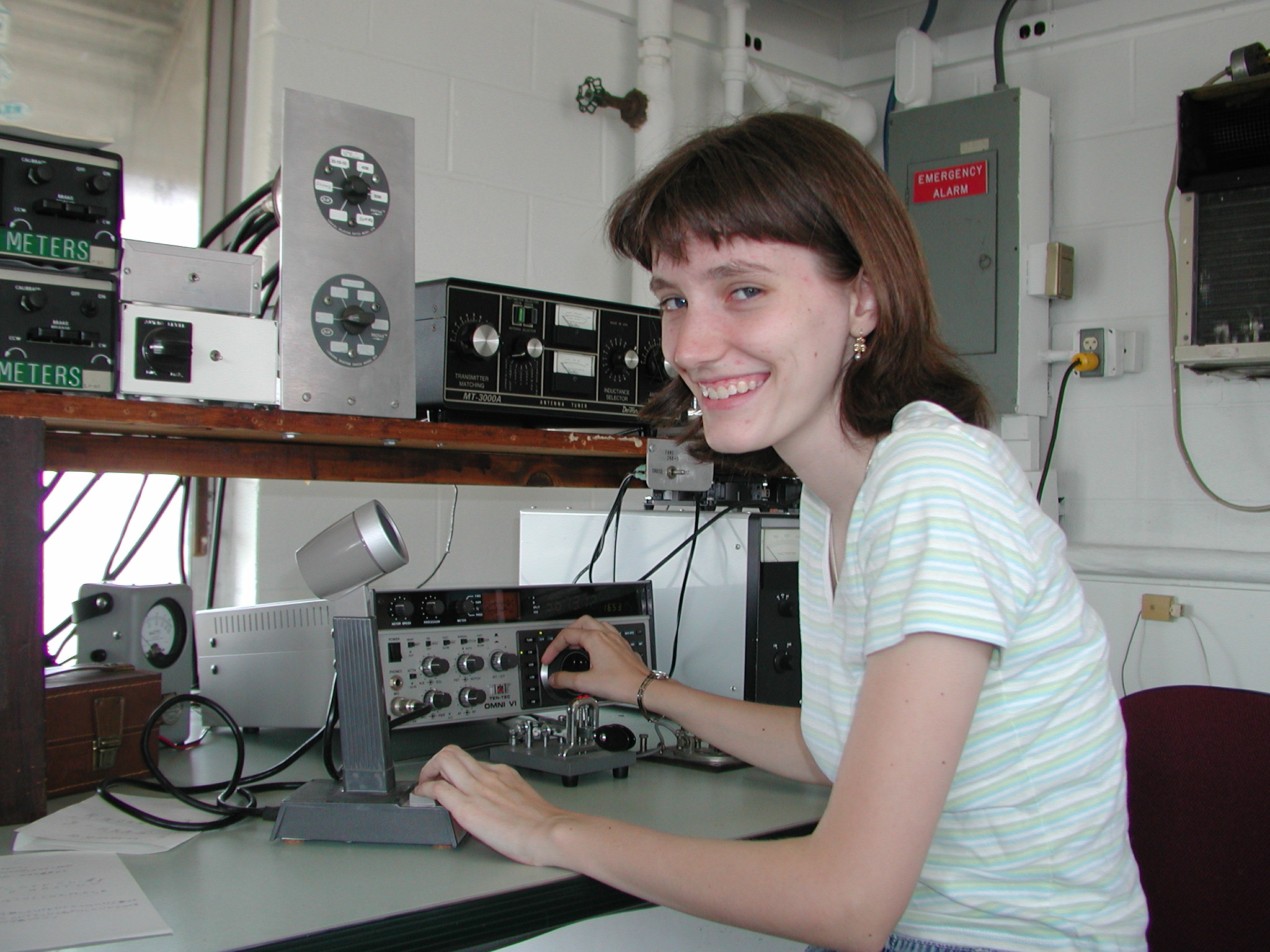
I have recently become obsessed with Amateur Radio. Even though radio has been commercialized since the mid-20s, Ham Radio holds on to the hobbyist nature of radio, almost as if radio were captured in amber.
Amateur radio reminds me of what it was like being a blogger in the late 90s using tools like Greymatter, Zope, and Pyra Labs (pre-Blogger).
OLYMPUS DIGITAL CAMERAYou needed to connect to your platform intimately, understanding all the layers of online communication: hosting, web service, bandwidth, programing languages, monetization, plugins, domain names, DNS, moderation, anti-spam strategies, site architecture, SEO, and the rest.
With message boards, it was the same thing. Even if you weren’t a creator, admin, or host, it took quite a lot of effort to become a USENET member.


lemur81 


If you wanted to join alt.fan.lemurs, you really needed to figure out your computer, your modem, you ISP, your terminal, your BBS, and then find your way through a gateway or two, until you found your way into USENET — and then you’d need to find your way around that entire thing.
It’s not like that any more.
There’s very little need to be a hobbyist to engage with the Internet any more. Who even needs to know what Apache is, what an IP address is, how to set up a DNS, navigate the MX records, hack an .htaccess document or be concerned with ping latency. Now, all of that stuff is invisible, seamless. The barrier to entry has been (mostly) razed.
There are still coders, hackers, geeks, nerds, and hobbyist around, but those are hundreds-of-thousands of folks and not hundreds-of-millions — to say nothing of the 2 billion folks who are online, globally.
Today, circa 2014, it’s tough to even get that close. You need to go out of your way, these days, to be able to run your own mail and web server from your own home. It’s not even easy to get an ISP or web host to give you access to shell access.


pi1l 
And, if you don’t know what the hell I’ve been talking about in the last few paragraphs, you’re part of the problem and not the solution — which is a pity because it’s never been easier to become a geek, a coder, a hacker, a tech, an app-maker, a MAKER. The Internet has razed the barrier to entry to all of these things and the tools are all cheap. I mean, haven’t you heard about the Raspberry Pi?
It doesn’t matter. You’re either really into it or you’re not. No matter how easy it is. Or, if you are of a tech brain, maybe you’ve moved on well past the Internet. Maybe you’re entering the world of making the next thing. Either way, there’s surely a dumbing-down of the Internet (one would say this has been happening since AOL opened up a gateway to USENET, back in the early 90s.)
Anyways…
So, as a result, we’re entering a world with fewer and fewer active Internet-, Web-, Blog-, Social Media- and Content-Creators. Social media, including Pinterest and YouTube, is becoming more and more celebrity-, brand-, agency-, and studio-driven.


Chris Abraham


About Chris Abraham

A pioneer in online social networks and publishing, with a natural facility for anticipating the next big thing, Chris is an Internet analyst, web strategy consultant and advisor to the industries' leading firms. He specializes in Web 2.0 technologies, including content syndication; organize search engine optimization (SEO), online reputation management (ORM), content marketing, online collaboration, blogging, and consumer generated media.


*****Posting Comments*****

PLEASE keep your comments relevant to this post, comments are moderated prior to posting.

Thank You.


Sunday, June 22, 2014

INSTAGRAM MONEY MAKING SECRETS ~ START EARNING INCOME~JOIN NOW

If you are not using Instagram to make some extra cash each month then you are seriously missing out. Armed with nothing more than their Instagram account, their mobile phone and their love for taking pictures, people are turning their passion into cash. And so can you!
Let me ask you, what would an extra $1,500 a month mean to you? If you are anything like the people we’ve helped then you’d probably say “$1,500 would be awesome!”
20,000 members have seen the raw power of InstaProfitGram and now we want to invite you to be part of this awesome crowd, and its EASIER than you think!
InstaProfitGram was created with ease of use in mind. In fact, it is one of the biggest reasons our loyal members praise our system every day. They are just blown away by how easy it is to make money with their Instagram account.
You’ll be amazed at the goldmine you’ve been sitting on all this time! Many members have had their Instagram account for more than a year and are amazed at how quickly they can transform that account into a money-making machine. But do you want to know what the best thing is with our system? Fun, fun and more fun!
Instagram is all about doing what you love and sharing it with the world. We just add some cash into the mix and let our members carry on doing what they love.
Don’t be surprised if after following our easy step-by-step system you are making $50 a day. That’s what our members make each day, on average.

  1. Less than 1% of Instagram users have tapped this money-making secret (the sooner you start the better!).
  2. Instagram is the only social network that gives you the user, a chance to make money from your own content (this alone should excite you).
  3. The types of pictures you take don’t matter. Just point, shoot and collect your cash!
  4. With our system you make money and gain exposure. Millions will see your snaps.
  5. This is scalable. Imagine what you can do with 2 or 5 photos daily.
And before you start worrying about this being hard, let me put your mind at ease. There’s nothing hard about doing this, and when I say nothing I mean exactly that. Nothing! 


http://58f33mvoqmzac-besat546t0z6.hop.clickbank.net/
SIGN UP TODAY

Saturday, June 21, 2014

11 Easy Social Media Tips and Tricks ~ By Chris Abraham

This week I am going to just take it back to basics.Here’s a list, off the top of my head, of things that could and should make your social media and blogging life more full, exciting, passionate, accountable, fruitful, and maybe a little less intimidating. Add Social Media Information to Print Media
This is the most effective way to grow your followership organically without needing to resort to either buying followers or playing the super aggressive game of follow prospects in the hope that they follow back; and, if and when they don’t, unfollowing them.
There are other strategies, of course, but make sure all of your printed media includes every social media platform possible. You need to make everything easy, too. Nobody’s going to want to type in plus.google.com/103099807663073306865 but they might type in plus.google.com/+chrisabraham or google.com/+ChrisAbraham, for example. While not widely used, QR Codes can be utilized to make access to social media easier.
When you’re considering using print as a way to integrate corporate social media branding into your business, consider business cards, letterhead, and also placards, posters, and decals in the waiting rooms and public areas of your business.
And while just adding Twitter, Pinterest, Facebook, and Google+ icons below “Find us on social media” might work for some people, it’s much easier to include as many clues as possible such as your Twitter handle, be it @chrisabraham or @gerrisd for Gerris digital (that’s how people use Twitter).
It’s especially important when your custom URL is not intuitive. Unison is @unisonbrand, for example, and not @unison or @unisonagency. Also, cross-platform consistency is key, something I have apparently ignored by setting up GerrisDigtial everywhere except on Twitter, where I decided on @gerrisd instead for reasons of brevity.
I might change it back to @gerrisdigtial if the lack of cross-platform integration gets annoying or muddies my nascent brand.


Add Well Written and Fresh Content
Honestly, I get pitched all the time by fly-by-night offshore and unqualified copy writing outfits. Once in a while, I give one of them a go, look at the product, and conclude that it’s not worth it to order content writing on the cheap. Maybe it’ll be okay to use these folks in the future, but so far I write all of my own.


CONNECT with the AUTHOR


Chris Abraham

Principal Consultant at Gerri Corp.
Chris Abraham is a leading expert in digital, including online reputation management (ORM), Internet privacy, social media marketing and digital PR with a focus on blogger outreach, blogger engagement and Internet crisis response.
 

Thursday, June 19, 2014

Microsoft Brings Penny Arcade Artist To An Engineering Team To Work Out Surface Pro 3 Issues ~ By Darrell Etherington


Microsoft is gearing up to begin shipping its Surface Pro 3 tablet, and many have already had a chance to test out the latest in tablet/laptop hybrids. One early tester is Penny Arcade’s Mike Krahulik (aka Gabe) who was a huge fan of the Surface Pro 2, because with the stylus, it was an awesome digital artist tool for hand-drawn creations. Gabe wasn’t so impressed with the Surface Pro 3. He said it introduced some lag into the equation for menu navigation and drawing (I’ve tried it myself and I found the same thing), and which put the home button in a new, much more inconvenient location.
Microsoft took this feedback to heart — so much so that they brought Gabe in to provide feedback to a team of Surface Pro 3 product engineers and designers. He offered his thoughts on the home button placement, general performance issues and the way the pressure sensitivity feels “off.” The team took vigorous notes while they were doing this, and presented Gabe with a sampling of the various Surface Pro 3 hardware configurations. After about a week, they came to the Penny Arcade offices and showed him some modified devices that included fixes, such as a temporary disabling of the Windows Home hardware button when the pen is in use on the screen.


CONNECT with the AUTHOR

Darrell Etherington
A writer focused on covering early-stage startups, especially those with a technology focus.
CrunchBase profile →


PLEASE keep your comments relevant to this post, comments are moderated prior to posting.
 Thank You.


Saturday, June 14, 2014

Learn Tattoo Shading

faqblackicon


“TOP SECRET!
.
What Everybody Ought To KNOW…About TATTOO SHADING…
How Often Do You Hear Yourself Saying: “No, I Haven’t Learned It…
I’ve Been Meaning To!” “Well NOW Is The Time”


images66


24ef8ed69f0af39c7aeaa3753f9ce065


Dear Aspiring Tattoo Artist,
Are you learning how to become a tattoo artist? Do you know everything that is needed to get up and running with your tattooing? Do you want to be an tattoo artist so bad you can taste it? Tattoos are in big demand at this time and only growing bigger with popularity. Discover how to move up in ranks with Black and Grey Wash tattooing.
Knowing The Grey Wash Technique Can Make YOU A Lot More Money!
Discover insider tips it takes to know how to perform this in demand style. For instance how to do proper shading, ink mixing, what kind of needles you should use and much more. This one of a kind guide is an interview with a top professional tattoo artist that reveals some of the most common questions asked from aspiring tattoo artists.
With this guide you’ll discover how…
Common questions about tattooing shading. Gives you the confidence for giving this style a try. Make a name for yourself in your area. Give you chance to do what you love to do. To make good money, having this style down is in high demand. Being happier in your life and content with being a tattoo artist.
As I said many of your most pressing questions will be answered in this powerful guide. But here’s the most important part! You will learn from a professional tattoo artist that has over 12 years of experience. What you are about to discover will seriously turbo-charge your knowledge and get those ideas flowing and more importantly, you’ll be able to fill in ALL the blanks and start tattooing shading, with complete ease.


“This Guide Is Perfect For The Beginners ”   


images12                


I have a tattoo newsletter and I’ve received many questions about how to do tattoo shading and black and grey wash shading. A lot of the questions were the same and I notice a common problem that they all had. Anyhow I wanted to create a helpful guide for all those aspiring tattoo artists out there that needed these questions answered. In a nutshell a guide that can take years off in learning this style of shading. Don’t take my word for it listen to some satisfied customers that have written me back on this tattoo shading guide…


http://6b068l5xi7q5drhego3cqlvznm.hop.clickbank.net/   


Tuesday, June 10, 2014

A Go-To Guide to Screwing Up Your Landing Pages by Lindsay Kolowich


fail_blocks-2Landing pages are the core of the conversion process. They are one of the best ways you can convert website visitors into leads and leads into customers. But a high-converting landing page isn't just a random form, a little description, and a kind-of-related image thrown together onto a web page -- you have to build each component thoughtfully and strategically.
To get people to convert on your website, the conversion process needs to be a) easy, and b) enjoyable. The key is keeping visitors on your page long enough to get them to fill out your form, which means clean formatting, concise language, and a compelling offer.
But it's not as easy as it sounds. There are a lot of really awful landing pages out there. To help you convert as many visitors as possible into leads, here is a comprehensive look at the things you shouldn't do on your landing pages -- and how you can fix them.

The 12 Ways You Can Totally Screw Up Your Landing Page


1) It takes more than a second or two to load.

Did you know that 40% of people will abandon a website that takes more than three seconds to load? That means you will lose 2 out of every 5 people who come to your landing page before you even have a chance to show them what you've got. Fast page load times means better user experience and it helps your Google search ranking.

How to Fix It:

Catch the problem early by monitoring your page load times and fixing them as soon as you notice they're slow. Learn how to monitor and improve your page load time here.


LEARN AND READ MORE HERE


CONNECT with the AUTHOR

 Lindsay Kolowich

Lindsay is an inbound marketing blogger at HubSpot. She's into business, marketing, the ocean, and the Boston Red Sox. Hoya Saxa!


Sunday, June 1, 2014

7 Things Good Communicators Always Do ~ By Jayson DeMers

Communicating is easy, but communicating well takes skill. Thinking beyond basic language rules and facilitating effective, positive exchanges of information is something not everyone can do. Fortunately, good communication habits come with regular practice, so if you know what it takes to sharpen your skills, you can proudly communicate like all the great orators and writers before you. Remember these seven things that good communicators always do, and make sure you’re doing them!

1. Get personal
Most of the time, people don’t care about what you’re saying unless you’re saying something they find valuable on a personal level. That personal level doesn’t have to be deep, it just has to exist.
Good communicators establish a personal connection by focusing on how their message may impact the other person. For example, good communicators in the marketing industry always explain how the company’s products or services will benefit the customer. This gives the audience a reason to listen and remember what the marketer has said.

2. Represent facts
Inaccurate information is worthless, so if you’re not sure about something you’re saying, either don’t say it or at least admit that you’re not sure about it. Sometimes, we can get carried away with a conversation and begin spewing out random things we’ve heard but don’t know to be true. Although this may seem harmless, regularly offering inaccurate information not only leads people to believe things that aren’t true, it discredits you as a valuable source of information, and sharing information is what communicating is all about.

3. Be specific
Good communicators cut to the chase and understand the value of brevity. You may love to talk, but that doesn’t mean others want to hear it. If you have something to say, say it. Ambiguity and superfluous words are likely to bore people and discredit you, causing your message to get lost in a cloud of noise. Good communicators always respect people’s time and choose simple, straightforward words.

4. Ask questions
Whether the conversation is with one person or many, good communicators always ask questions. Most importantly, they question their audience to confirm that their point has been understood.
Of course, it can get irritating if someone continually asks us “Do you know what I mean?” or “Get what I’m saying?” Such questions may come off as condescending, but there are friendlier, more subtle ways to ask for confirmation. Instead of putting the focus on your audience’s ability to understand, put the focus on yourself by asking “Am I explaining this well?” This invites the other person to ask for clarification without feeling incompetent.


LEARN AND READ MORE HERE 


CONNECT with the AUTHOR


Jayson DeMers
Contributor

I de-mystify SEO and online marketing for business owners.